UX case study
QuickCart
Designing a grocery-shopping app for people short on time.
- Role
- UX research & design
- Context
- Google UX Design capstone
- Tools
- Figma · Adobe XD
- Format
- App concept
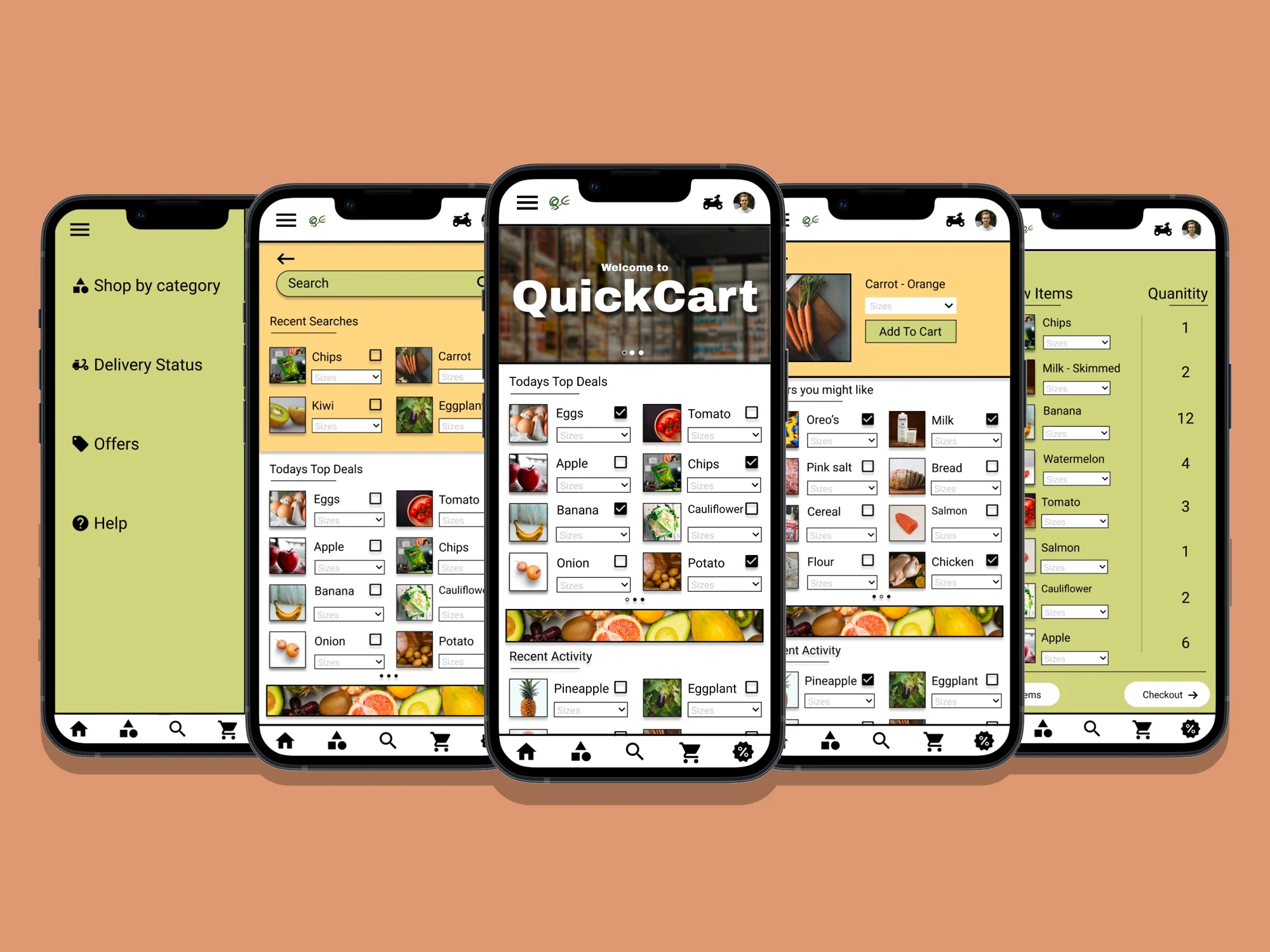
The shopping problem
QuickCart explores grocery shopping for working adults who struggle to find time for an in-person trip. I designed a mobile shopping flow from browsing products to checkout.
This is a course design project and prototype; it was not released as a production app.
Research findings
Finding time to shop
Interviews and empathy maps highlighted the difficulty of fitting grocery shopping around work.
Grocery quality
People wanted confidence in the quality of groceries ordered online.
Text and viewing needs
Different text and viewing needs influenced the design considerations.
Changes after feedback
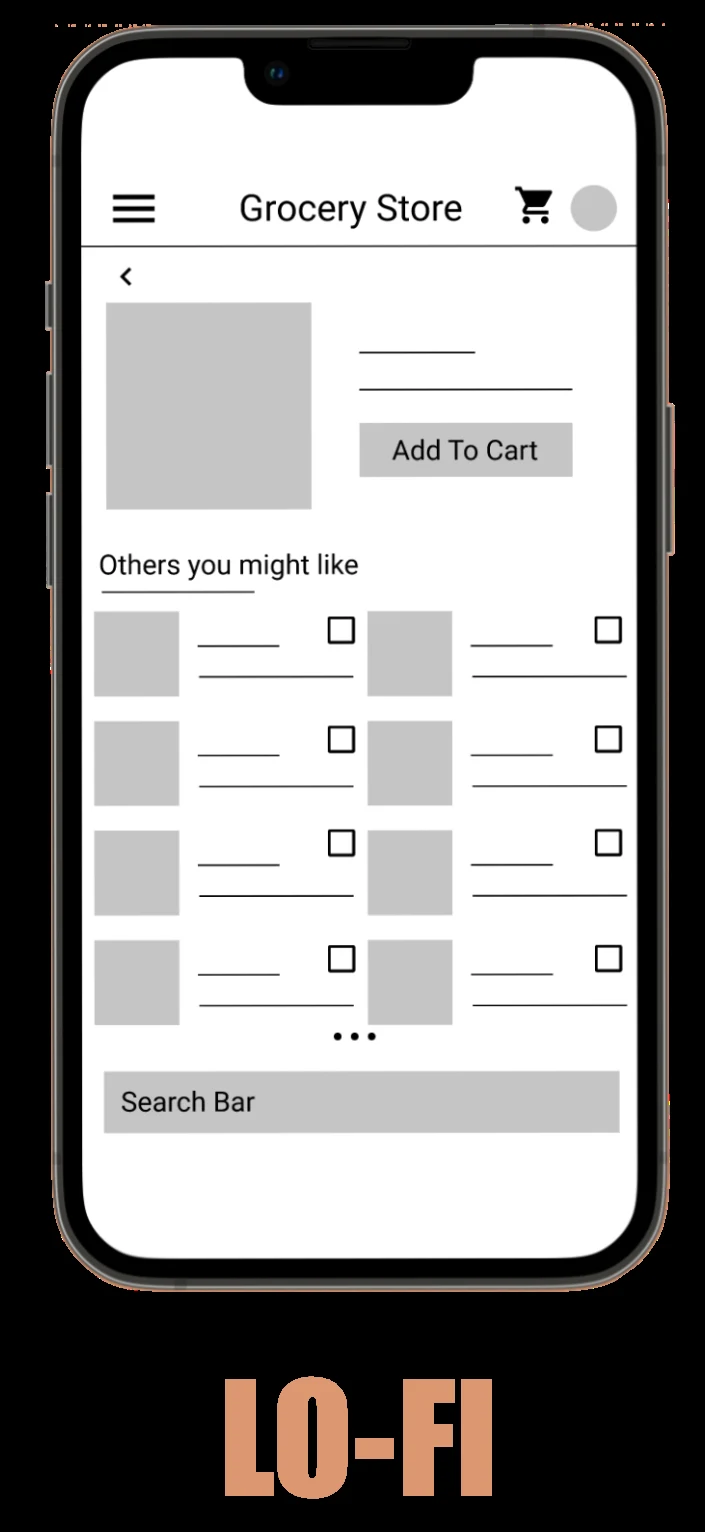
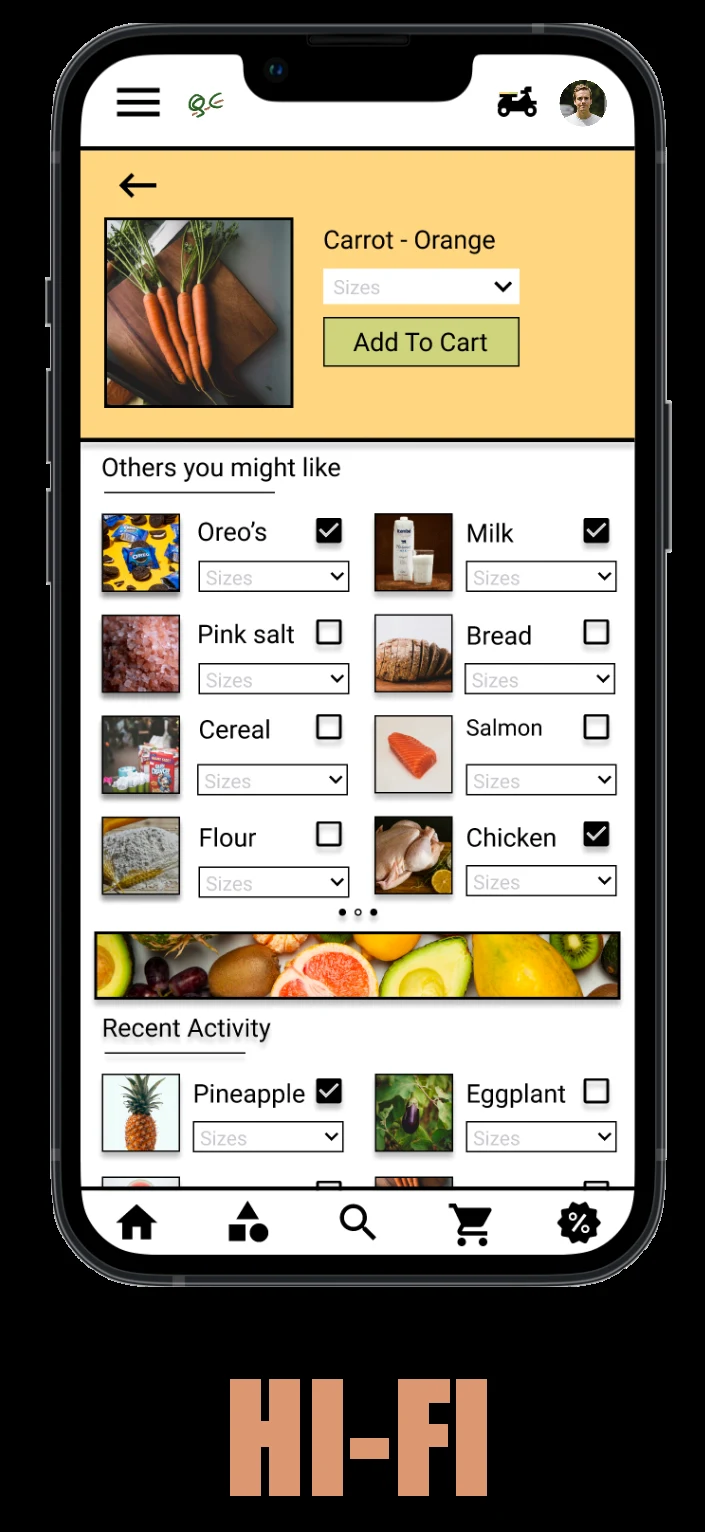
I started with low-fidelity wireframes, then developed a more detailed prototype. Usability feedback informed changes including recent activity and bottom navigation.
Prototype walkthrough
A walkthrough of the original interactive concept, from browsing to checkout.
Visual demo: navigating the grocery app, selecting products, reviewing the cart, and proceeding through checkout.
What I took from it
QuickCart taught me to work out how someone moves through a design before refining how it looks. Feedback on the shopping flow led me to rethink navigation and make recently viewed items easier to reach.
I carried that approach into earlier versions of my portfolio and this website: putting the work first, simplifying navigation, and making it easier to move from a project preview into the details. I’m still applying the same habit—review the experience, make a focused change, and check it again.